ProZ.com frequently asked questionsBlue Board (Outsourcer Database) Main Main
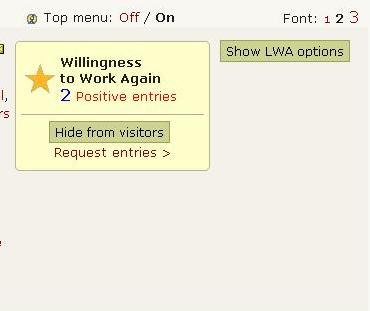
1 - Blue Board: General 1.1 - What is the Blue Board? We'll explain in a roundabout way. First of all, any ProZ.com user can enter a number from 1 to 5 corresponding to his or her likelihood of working again (LWA) with a given outsourcer (ie. client or translation company/agency). By way of explanation, the user can also enter a line of text along with the number. In response, the outsourcer may enter a line of text of his/her/its own. 1.2 - Glossary of Blue Board terms... Outsourcer: An umbrella term that includes agencies, companies, clients and any other entity or person that buys translation services. The Blue Board is a database of outsourcers accompanied by service provider entries. 1.3 - What are the conditions for making an entry concerning your likelihood of working again with an outsourcer? In order to ensure the goal of the Blue Board, a set of Blue Board rules has been created. Use of the Blue Board that may violate any of these rules as well as ProZ.com general rules is not allowed. 3.1 - Why is a comment simply saying "contact me privately for further details" not allowed? This comment does not provide any helpful information to other translators and undermines the point of the Blue Board. Translators are busy, if they went to a Blue Board record and every comment merely said "Contact me privately for further details." there would be no point in having the comment section at all. 1.4 - How reliable is the Blue Board? The entries posted here are not confirmed in any way, and represent the opinions only of those making entries. Things to consider when evaluating entries: activity levels, identity verification status, membership levels, registration numbers and other characteristics of posters. 1.5 - Where can I manage LWA feedback? You can see information on LWA entries received, requested and given, and request new LWA entries from service providers on the LWA Feedback management page. 1.6 - What is the ProZ.com termination policy? The staff of ProZ.com, the company providing the technology for this site, has established a policy for the termination of offending outsourcers to enhance the site is used as a place for language companies and language service providers to meet and engage in good-faith transactions. 1.7 - What does the message This outsourcer has been banned from posting jobs at ProZ.com mean? As per ProZ.com termination policy, if a total of two non-payment complaints regarding a single outsourcer have been received from unrelated sources, the issue will be brought to ProZ.com staff for review. At its sole discretion, ProZ.com staff may then choose to suspend or revoke the outsourcer's right to use ProZ.com. This note refers to that suspension. 1.8 - What does the " ... " mean in the comment area for some LWA entries on the Blue Board? A " ... " in the comment section indicates that no comment has been entered by the poster of the entry. Note that if this is the case you will only see " ... " in the comment section, as opposed to, for example, "Great terms, professional ... would work with them again", which would have been entered by the service provider. 2 - For service providers New client risk managementProZ.com members get full access to the Blue Board database of over 17,000 records and more than 92,000 feedback entries from translators2.1 - How can I see other users' entries concerning their likelihood of working again with a particular client? "Blue Board" is one of the options under the "Jobs" tab in the main menu. The Blue Board is also accessible by typing this URL directly: http://www.proz.com/blueboard 2.2 - I am not a (paying) member of ProZ.com... can I still see Blue Board records? As of November 15th 2016, full access to the Blue Board is a members-only service. See the announcement: http://www.proz.com/topic/308410 2.3 - I am not a (paying) member of ProZ.com... can I still make Blue Board entries? Yes. Non-paying site users can submit LWA entries for outsourcers with whom they have worked. To do so, just click on “Make an entry” to the right of the Blue Board record page. Clicking on this option will open a page where you will be able to compose your LWA entry. 2.4 - How can I make an LWA entry for a Blue Board outsourcer? To make an LWA entry for Blue Board outsourcer, first locate the outsourcer's Blue Board record here. Once you have located and accessed the outsourcer's Blue Board record, click on “Make an entry” to the right of the Blue Board record page. Clicking on this option will open a page where you will be able to compose your LWA entry. Please bear in mind that Blue Board entries require vetting and that they will not appear immediately. This is usually done within 12 hours of the entry being posted. 2.5 - How to open a non-payment report for certain outsourcer? During the submission of your LWA entry as per FAQ, after sending the LWA entry for vetting, in case if the rating of the LWA entry is very low (1 or 2) you will be given the option to report any non-payment issue involved with the outsourcer and you will see a message "You entered a low LWA for this outsourcer. If you have not received payment, report a non-payment for this outsourcer". Please press on the button “report a non-payment for this outsourcer”. You will be redirected to another page where the possibility to enter data regarding your non-payment issue will be provided. After filling in all the necessary information please press on “Preview non-payment report” button, check carefully your non-payment report again and press on “Submit non-payment report” button to open a non-payment issue for your LWA entry. 5.1 - I have made a non-payment report for an outsourcer and it hasn't appeared yet. First, please note that all Blue Board entries require vetting by site staff before they are made public (see this FAQ). 2.6 - I would like to ask others to make entries concerning a particular outsourcer. How do I do that? If the outsourcer is already listed, click "Call for entries" from the outsourcer's record page. This will cause a request for entries to be published on the ProZ.com home page. In addition, an email will be sent to all those who have subscribed to such requests. 2.7 - I have made a call for entries for an outsourcer but I have changed my mind. Is it possible to undo it? No. It is not possible to reverse the call for entries as the email to all those who have subscribed to receiving request for entries are automatically sent immediately after the call for entries is submitted. 2.8 - Can I be notified of new LWA entries submitted for a particular outsourcer? Yes. To receive notifications for new LWA entries posted in a Blue Board record of any particular outsourcer, just click on "Track outsourcer" in the box to the right of their Blue Board record. 2.9 - How can I set my Blue Board notifications preferences? To opt out the Blue Board notifications please reset the settings in your profile Blue Board controls section . 2.10 - Why I am getting email notifications about new LWA entries in Blue Board record and how to deactivate it? During the submission of your LWA entry you have the possibility to subscribe to alerts when new entries are made for outsourcer by selecting the option “Receive alerts when new entries are made for this outsourcer?”. 2.11 - How can I make an entry for an outsourcer that is not listed on the Blue Board? If you would like to make an entry for an outsourcer that is not yet listed on the Blue Board, you may add the details yourself from the "Add Outsourcer" tab". Make sure to add comprehensive details, to avoid confusion. 2.12 - I added an outsourcer to the Blue Board database and the record is not visible. Why? Blue Board records, as Blue Board entries, require vetting by site staff or moderators and checking all contact information may take time, usually no more than 24 hours. 2.13 - Can I make an entry for an outsourcer if my only experience with them is with a test translation? No. You may have come to some conclusions about an outsourcer based on a test translation, negotiations or other preliminary interactions. However, based on our experiences, we decided that the Blue Board would be provided only for expressing one's likelihood of working *again* for specific outsourcers. In other words, you have to have at least begun a "real world" project for any outsourcer for whom you make an entry. 2.14 - Can I make more than one entry per outsourcer? Yes, you may make one entry per outsourcer per year (once 365 days have passed from your previous entry) provided that you have worked for the outsourcer again before adding an additional entry. You may not make multiple entries on the basis of a single experience (see Blue Board rule #5). 2.15 - Where can I see a complete list of LWA feedback I provided? You can see a list of the LWA / Blue Board entries you submitted for different outsourcers in the LWA feedback management page. Or else, check the "Blue Board entries made by this user" section of your profile. 2.16 - I made an entry and it hasn't appeared yet. Blue Board entries require vetting. This is usually done within 12 hours of the entry being posted. You may also want to check the spelling. Sometimes Blue Board entries are rejected from the database because of the characters used: double quotes in your comment are not allowed. You may need to remove the double quotes and use single quotes for the entry to go visible. If your comment hasn't appeared after a 24-hour period, please contact site staff by submitting a support request. If your entry is a non-payment report for a Business member of the site, please see this FAQ. 2.17 - How may I edit my LWA entry? You may edit your entry by clicking on the edit link on the right side of your entry, however, this will only be available before an outsourcer has replied and if your entry is less than a year old. However, any changes are subject to approval by site staff or moderators. 2.18 - How do I remove an LWA entry on a Blue Board record? You may request removal of an LWA entry you have made at any time. If the entry has been replied by the outsourcer, both parties must be in agreement for removal to take place. Once both parties have established this agreement on their own, they must each submit a support request for removal. 2.19 - Where can I see Outsourcers with excellent Blue Board feedback? The Blue Board statistics page shows the top Blue Board outsourcers, ranked by their average LWA feedback rating. Outsourcers with open non-payment issues or with an average LWA feedback below 4.50 are excluded. 2.20 - Where can I see outsourcers past contact information in Blue Board records? ProZ.com members can see past contact information for outsourcers by clicking on "view contact data history" at the bottom of the contact information section of the outsourcer's Blue Board record. 2.21 - Where can I see information on the jobs posted by a Blue Board outsourcer? You can see a list of Classic and Connect jobs posted by any Blue Board outsourcer just by clicking on More info » in the "Past job postings" box below the Blue Board record information. Only ProZ.com members have access to the information on the jobs posted by an outsourcer. 2.22 - I submitted an LWA entry for an outsourcer and it is no longer visible. Why? If you submitted an entry for an outsourcer that was visible for some time and that is no longer visible it is possible that your entry was contested by the outsourcer. Note that in cases in which an entry is contested, the entry is made invisible by staff until the issue has been clarified. 2.23 - Can an outsourcer leave feedback for me? Outsourcers may rate their willingness to work again (WWA) with service providers. 3 - For outsourcers 3.1 - How do I get my business listed on the Blue Board? The outsourcers listed in the Blue Board get there because a ProZ.com user posted them. Any registered user can do it; if you outsource translation work, you are welcome to post your own business for service providers to make entries on. (Users who subscribe to the Blue Board will be invited to make entries with regard to their likelihood of working again with your business.) 3.2 - How can I change the contact data listed for my business in the Blue Board? Changes to outsourcer contact data shown on the Blue Board can be made by site staff only. To request corrections to the data, submit a support request. 3.3 - How can I edit the information on my Blue Board record? If the contact information for you or your company's Blue Board record has changed, you can have this edited by contacting site staff via support request. Be sure to provide the complete information you wish to update, along with the page url to your Blue Board record. 3.4 - Can I add information about my company to my Blue Board record? Yes. Outsourcers with a high LWA average can post public notes to provide Blue Board record visitors with useful and/or important information regarding their business. 3.5 - I would like certain contact information removed from the Blue Board. ProZ.com respects your privacy. If you prefer that certain contact information be removed from public view, please submit a support request explaining what you would like removed, and why. We will consider your request. 3.6 - How can I completely hide the "past job postings" on the Blue Board record? Please note that you do not need to hide your past job postings, because the details of the jobs are available for only 30 days and only to those meeting the criteria. Please note that non-members do not see your job postings when they see your Blue Board record. Complete access to the Blue Board record of outsourcers is a member-only feature and the details of past jobs that are older than 30 days are not shown. 3.7 - Can I remove my Blue Board record? As Blue Board rules state, Blue Board records remain in place for at least six months following any form of outsourcing activity. Requests from outsourcers to have certain contact details removed from the Blue Board will be considered when specific reasons are given. However, in most cases, such requests will not be considered until at least six months have passed after the date of last known outsourcing activity. Requests for complete removal of a Blue Board record may also be considered, but will generally not be granted. 3.8 - How can I request an LWA entry from service provider who has been working with me? First off all, please remember that only translators that are registered on ProZ.com can make LWA entries in your Blue Board record. Therefore before requesting an LWA entry from a service provider who has worked for you or your company, please first make sure that this service provider is registered on ProZ.com. Otherwise s/he should create a profile on ProZ.com here . 3.9 - Will I be notified of new LWA entries posted in my Blue Board record? Yes. A notification will be sent to the email address specified as the contact email address in the Blue Board record every time an entry is posted. 3.10 - A service provider has commented on his/her likelihood of working again with my business. Can I respond? Yes. You can post a reply to a service provider's LWA comment directly from your Blue Board record. Note that replies to LWA entries, just as LWA entries, are subject to staff or moderator approval. 3.11 - My company has a great Blue Board page. How can I display this in my profile? Profile owners who have "Likelihood of working again" (LWA) feedback in their Blue Board pages can show the corresponding statistics in the top-right area of the profile. 3.12 - How can I affiliate a profile to a Blue Board record? To affiliate a profile to certain Blue Board record, please submit a support request to ProZ.com Staff to ask for the affiliation to be made. Please provide the link of the Blue Board record and the profile you would like to affiliate. 3.13 - I have been affiliated to an outsourcer I am not related with. What should I do? If your profile has been affiliated with an outsourcer you are not related to, please submit a support request to ask for the removal of such affiliation. 3.14 - A service provider has posted a non-payment complaint in my Blue Board record. What should I do? If a service provider has posted a non-payment complaint in your Blue Board record and this issue has already been resolved, instruct the service provider to contact staff via support request to confirm payment has been made so that the issue can be marked as resolved. 3.15 - Is it possible to contest a non-payment report before it is made public? As of April 2016, if you are a Business member of ProZ.com and receive a non-payment report on your company’s Blue Board record, then you will be notified by site staff via email before that entry is made publicly visible. If the entry is not in line with the rules for leaving Blue Board feedback as described in this FAQ, or if the non-payment report is no longer valid, then you will be given the opportunity to provide the relevant correspondence to prove this. 3.16 - Is there a way for me to leave feedback for a service provider who has worked for me? Outsourcers may rate their willingness to work again (WWA) with service providers. 4 - Blue Board Applications system 4.1 - What is the Blue Board Applications system? The Blue Board Applications system allows outsourcers to review and accept applications from ProZ.com members who meet the required qualifications. 4.2 - For Service providers: 2.1 - Where can I see a list of outsourcers looking for applications from translators and/or interpreters? You will find a list of outsourcers that are looking for applications from translators and/or interpreters in the Applications page. 2.2 - Where can I see a record of applications I submitted? For the time being, applications submitted are not recorded. However, if you have already submitted an application for a Blue Board outsourcer, the date in which your application was submitted should show in the "Action" column of the applications page. 2.3 - How many applications can I send? Site members are able to send an unlimited number of applications per month. However, you must wait 90 days before submitting another application to the same outsourcer. 2.4 - Why I am not allowed to send my application? The Blue Board Applications system is provided as a service to ProZ.com members only. Professional and Business members may submit their applications as part of this system. 2.5 - If I send my application and it is not accepted, will I be informed? Outsourcers have the ability to accept or reject applications, and optionally send an e-mail to the applicant. 2.6 - Can I use the information available in my profile when submitting an application? Site members may automatically submit information from their ProZ.com profiles from fields such as KudoZ points, ProZ.com Project History, phone number, etc. 4.3 - For outsourcers: 3.1 - Where can I see applications sent to me? Outsourcers can view applications sent to them by clicking the "Applications Received" tab in the Outsourcer Control Center . 3.2 - Where I can adjust my application preferences? Outsourcers that have a Blue Board record affiliated with their account may start to accept applications by setting their preferences in the "Application Preferences" tab of the Outsourcer Control Center . 3.3 - Why am I not able to adjust my "Application Preferences"? ProZ.com staff reserve the right to limit the use of Blue Board Applications system. Companies with low average Blue Board entries will not be able to set up their "Application Preferences". Access is also unavailable to outsourcers whose records contain open reports of non-payment. | Request help Site documentation The member services and support team  Jared  Lucia  Helen  Yana  Karen  Evelio  Hayjor Roca  Andrea  Naiara Solano  Joseph Oyange  Isabella Capuselli  Saint Machiste  Valentin Zaninelli  Laura Rucci  Erika Melchor  Charlotte Gathoni  Agostina Menghini  Tanya Quintery  Benedict Ouma |